Exhibit Evangelism Photo Booth
Operator and self-serve kiosk modes for the Illinois State Fair booth — framed 6×4 keepsakes, QR download pages, a live Visitor Pictures gallery, and automatic Facebook Page posts while Guided Access runs the iPad.
exhibitevangelism.com · companion to the outreach site case study
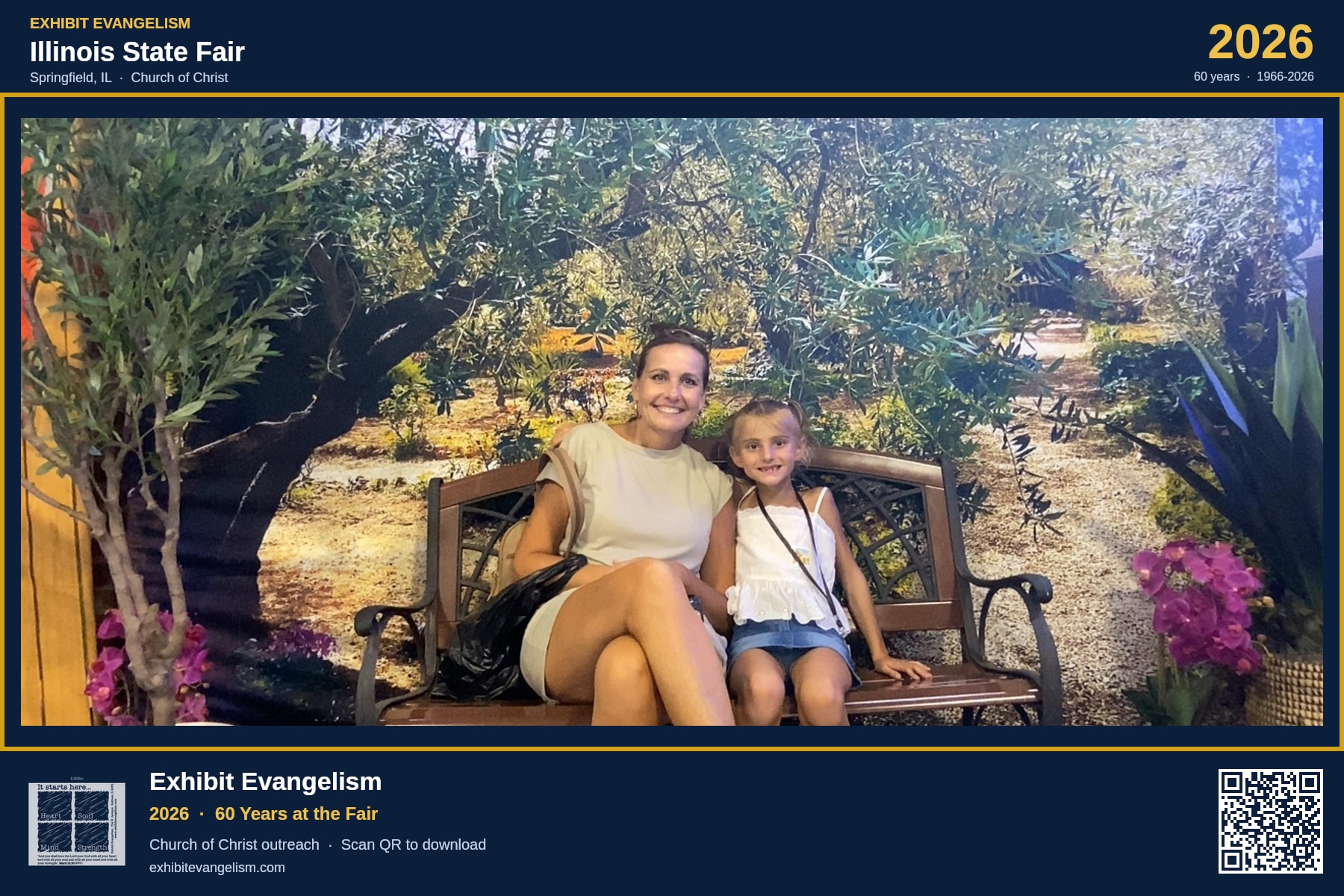
Live fair-week framed 6×4 — anniversary chrome, booth URL, and a guest QR on every capture
The Challenge
The problem
Fair week is loud, short, and high-volume. Volunteers needed a booth that could run with an operator or alone under Guided Access, hand guests a keepsake they could download on their phone, and still feed the public gallery and Facebook Page without someone babysitting uploads after every smile.
Key issues
- • Operator booth alone could not cover every quiet stretch of the day
- • Guests needed a phone download, not a USB stick or email form
- • Visitor Pictures had to show this year’s booth feed, not last year’s album cards
- • Facebook posting had to queue and drain safely during peak traffic
What success looked like
- ✓ Operator + self-serve modes behind one kiosk secret
- ✓ Instant framed capture with a big QR to /p/{id}
- ✓ Gallery day feed for 2026 + staff admin drain tools
- ✓ Page feed auto-post with rotating captions
The Solution
BraddCorp extended the Exhibit Evangelism Next.js site with a fair-week photobooth stack — camera kiosk UI, Cloudflare R2 framed assets, Turso capture records, guest share pages with Open Graph, a public gallery feed, and a Facebook Page upload queue drained by cron and staff admin.
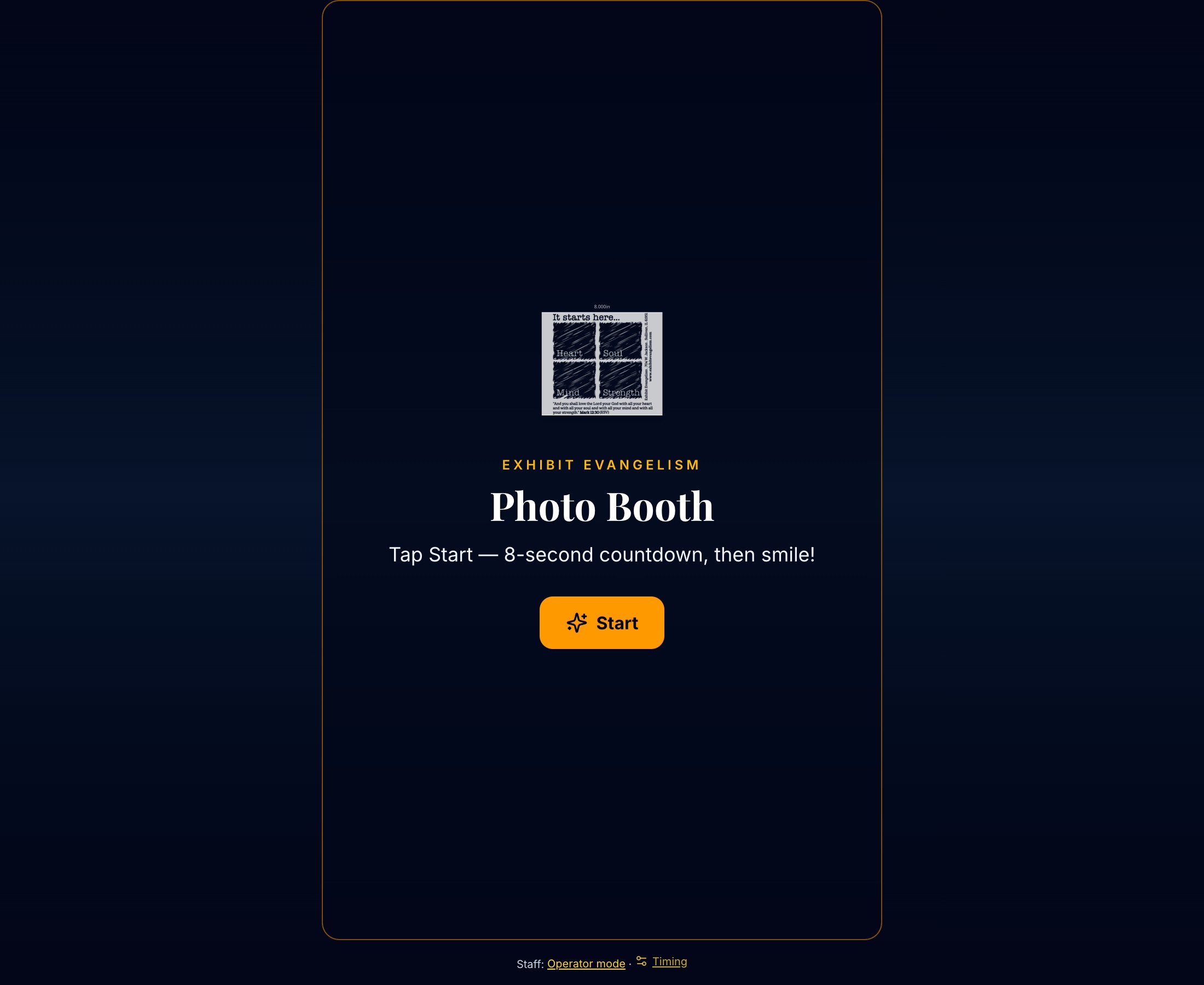
Self-serve kiosk
Welcome → Start → countdown → capture → big QR. No crop, print, or adjust steps — built for Guided Access on an iPad. Staff PIN unlocks timing (countdown / idle) and a jump back to operator mode.
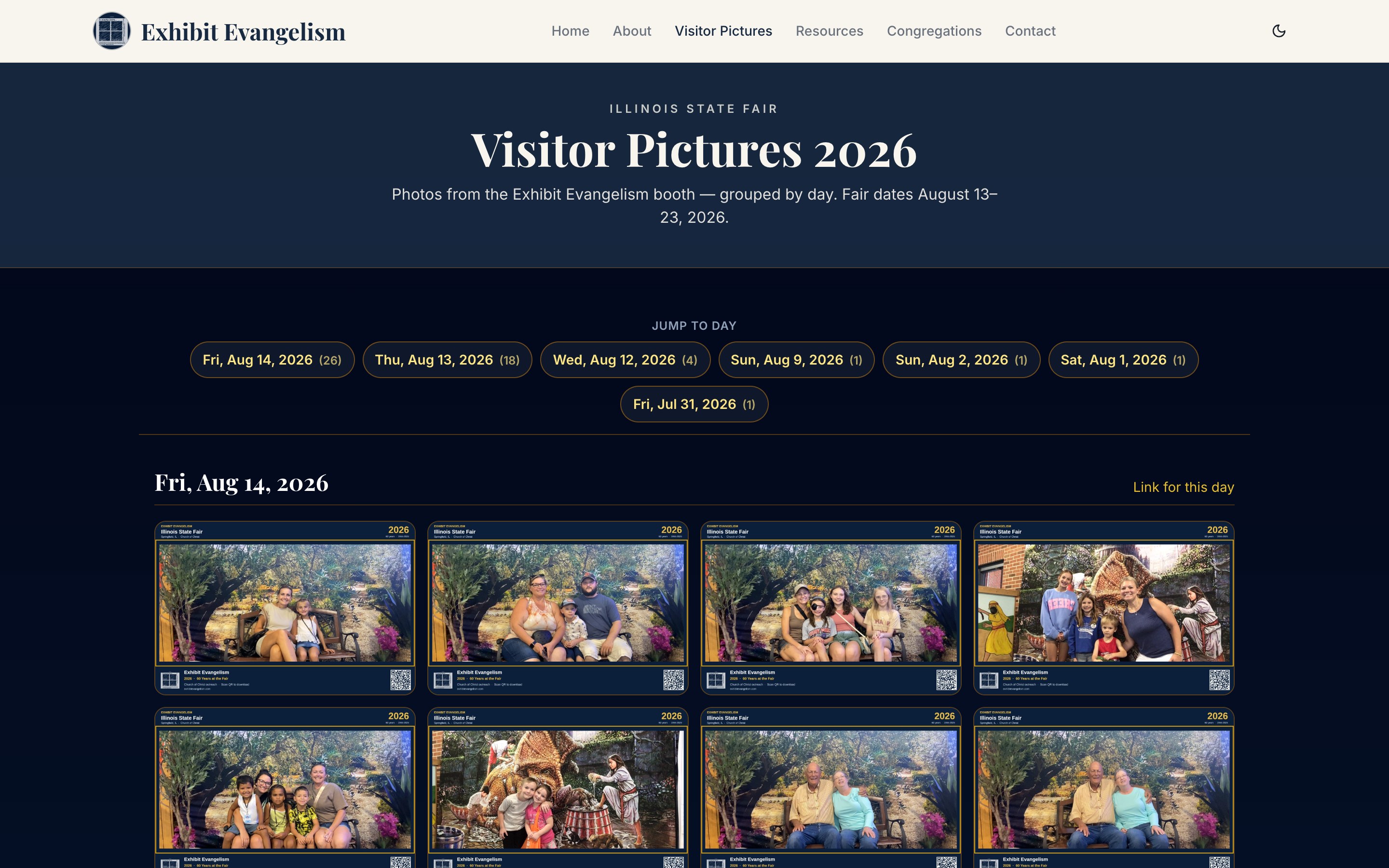
Visitor Pictures gallery
/gallery is the live 2026 booth feed — framed captures grouped by day with jump links — so fairgoers and congregations can find photos after the aisle conversation ends.
Operator mode
Staff-run booth for guided captures when volunteers are at the station — same framed pipeline, toggleable with self-serve under one kiosk key.
Framed 6×4 + R2
Every shot gets anniversary chrome, booth URL, and a unique QR. Assets land in Cloudflare R2; Turso tracks capture metadata and share IDs.
Guest share page
/p/{id} is photo-first: exact 3:2 preview, Download / Share / Learn more, and a photo-only Open Graph card so Facebook shares look clean.
Facebook Page queue
New captures enqueue as pending. Cron every 15 minutes (or admin Drain now) posts to the Page feed with rotating outreach captions — failed items retry; skipped stay skipped.
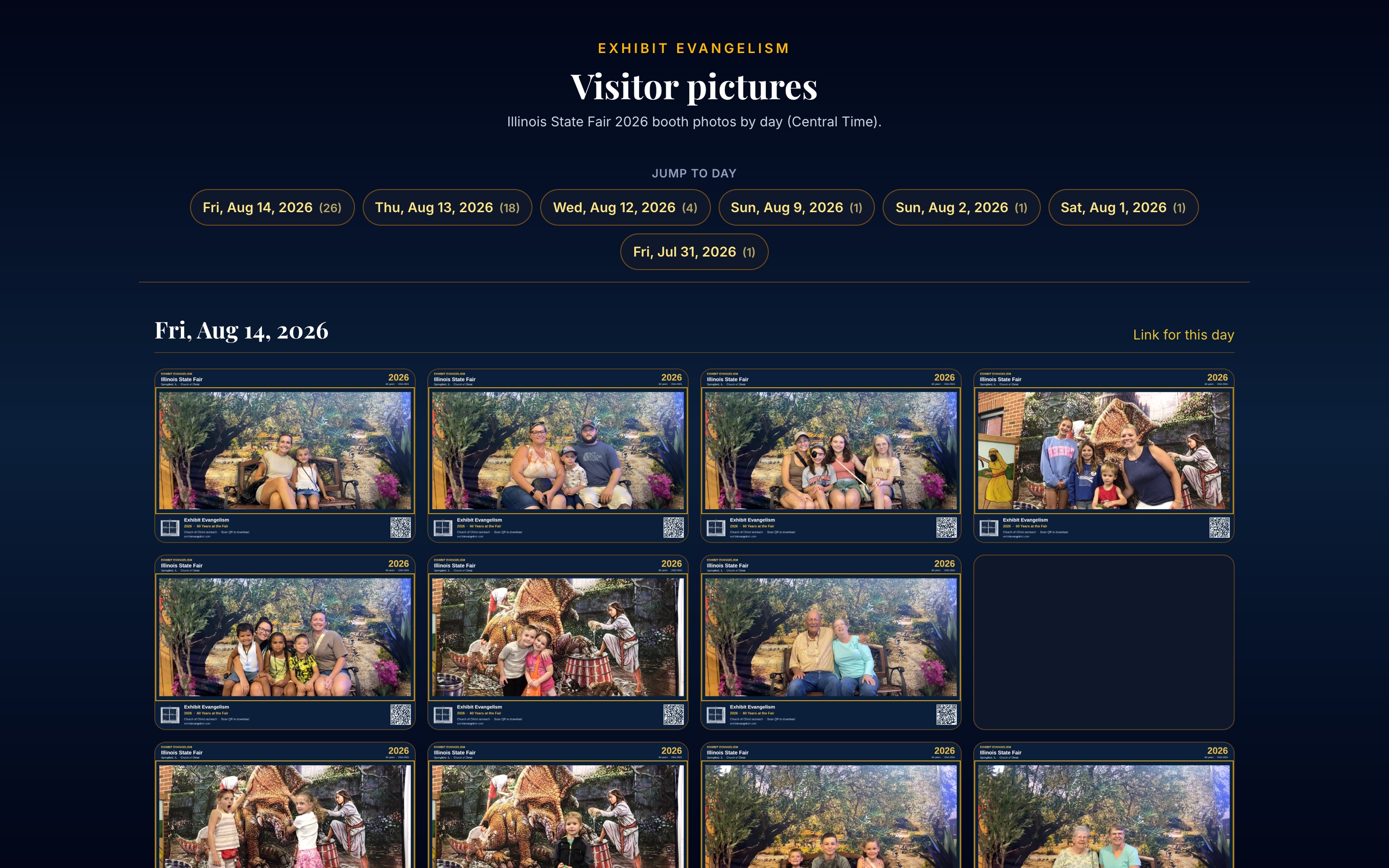
Public feed & staff admin
Booth feed and admin desk let coordinators review captures, unlock with the kiosk secret, and drain the Facebook queue without opening a developer console during fair week.
Phone download after the QR
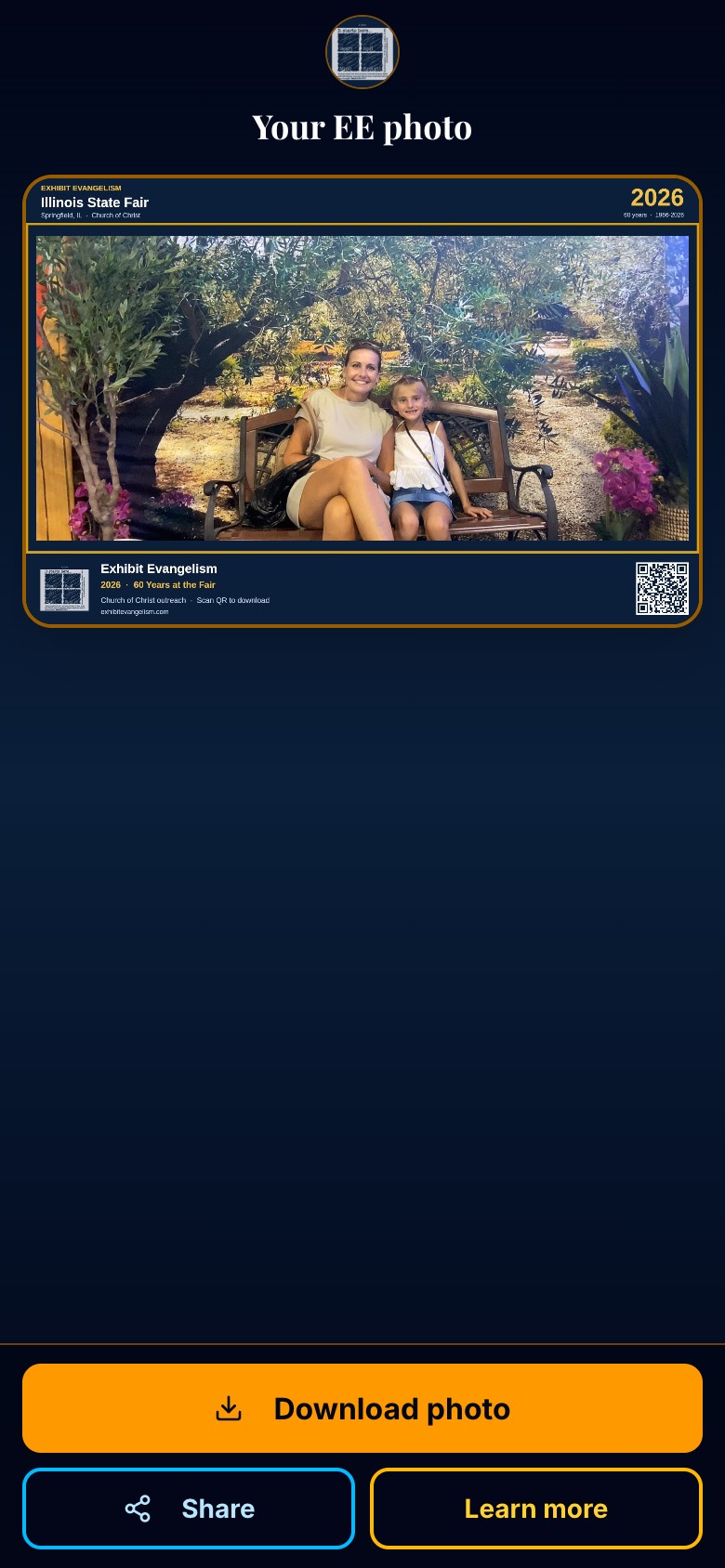
Guests scan the on-screen QR, land on their photo, and leave with a download — Bible study cards stay under Learn more so the first screen stays one job.
- ✓ Sticky Download / Share / Learn more
- ✓ Photo-only OG for social previews
- ✓ Same frame guests saw on the kiosk
On the fair floor
Ring-light kiosk, themed backdrops, and the self-serve QR handoff — running while volunteers stay in conversation.
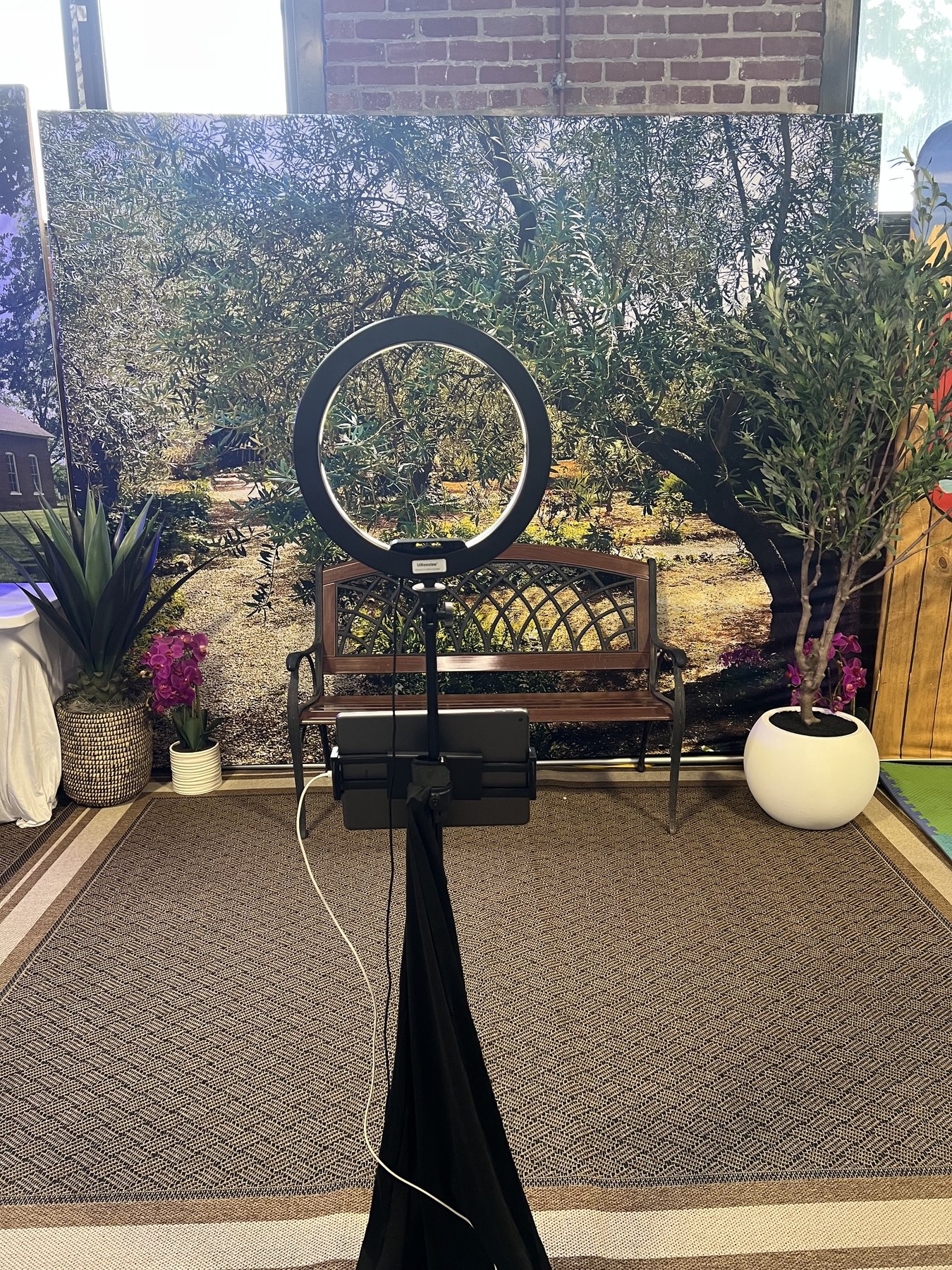
Olive grove set — ring light, iPad kiosk, and guest bench
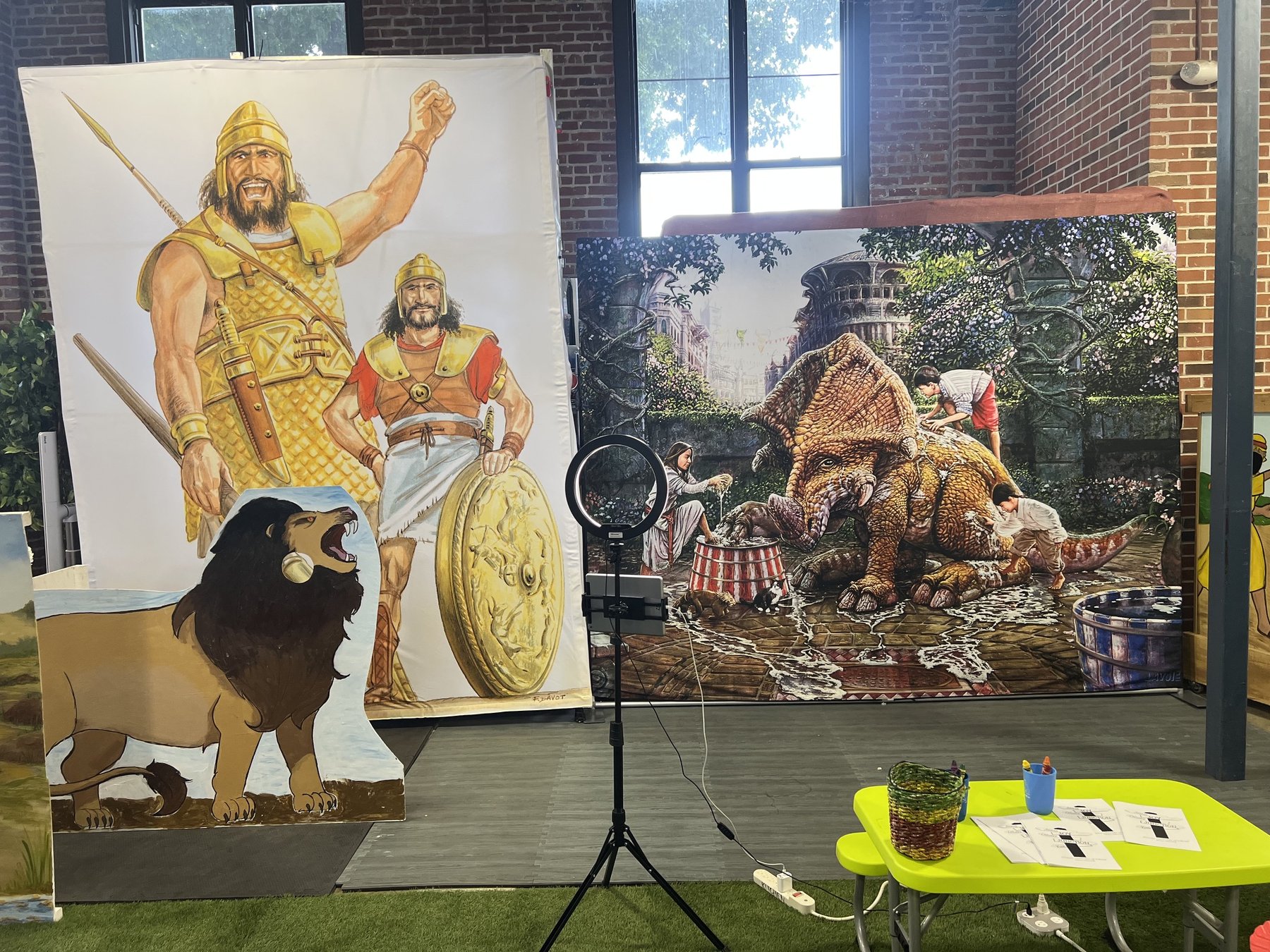
Second backdrop lane — same kiosk, high-volume aisle traffic
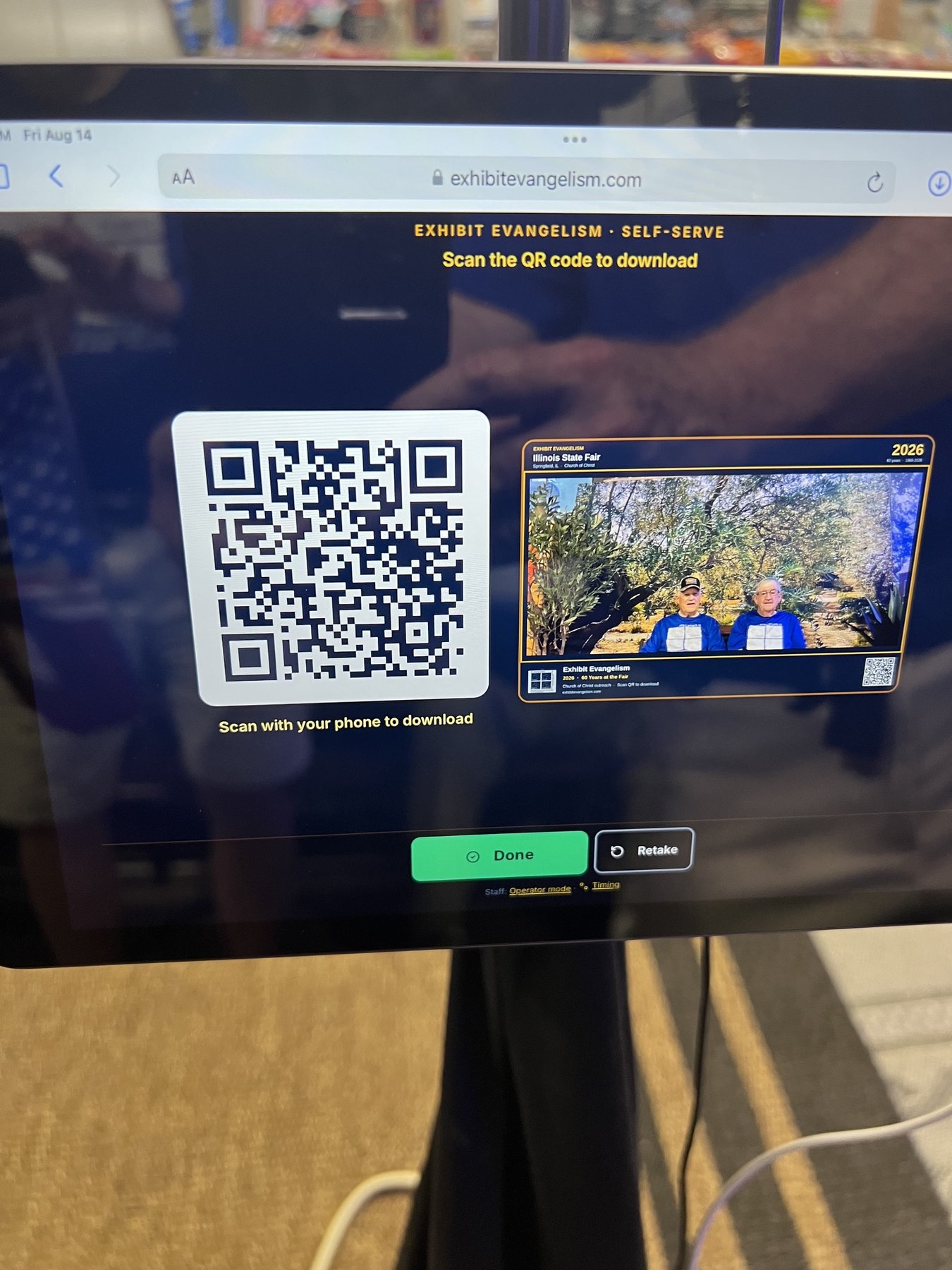
Self-serve after capture — big QR, framed preview, Done / Retake
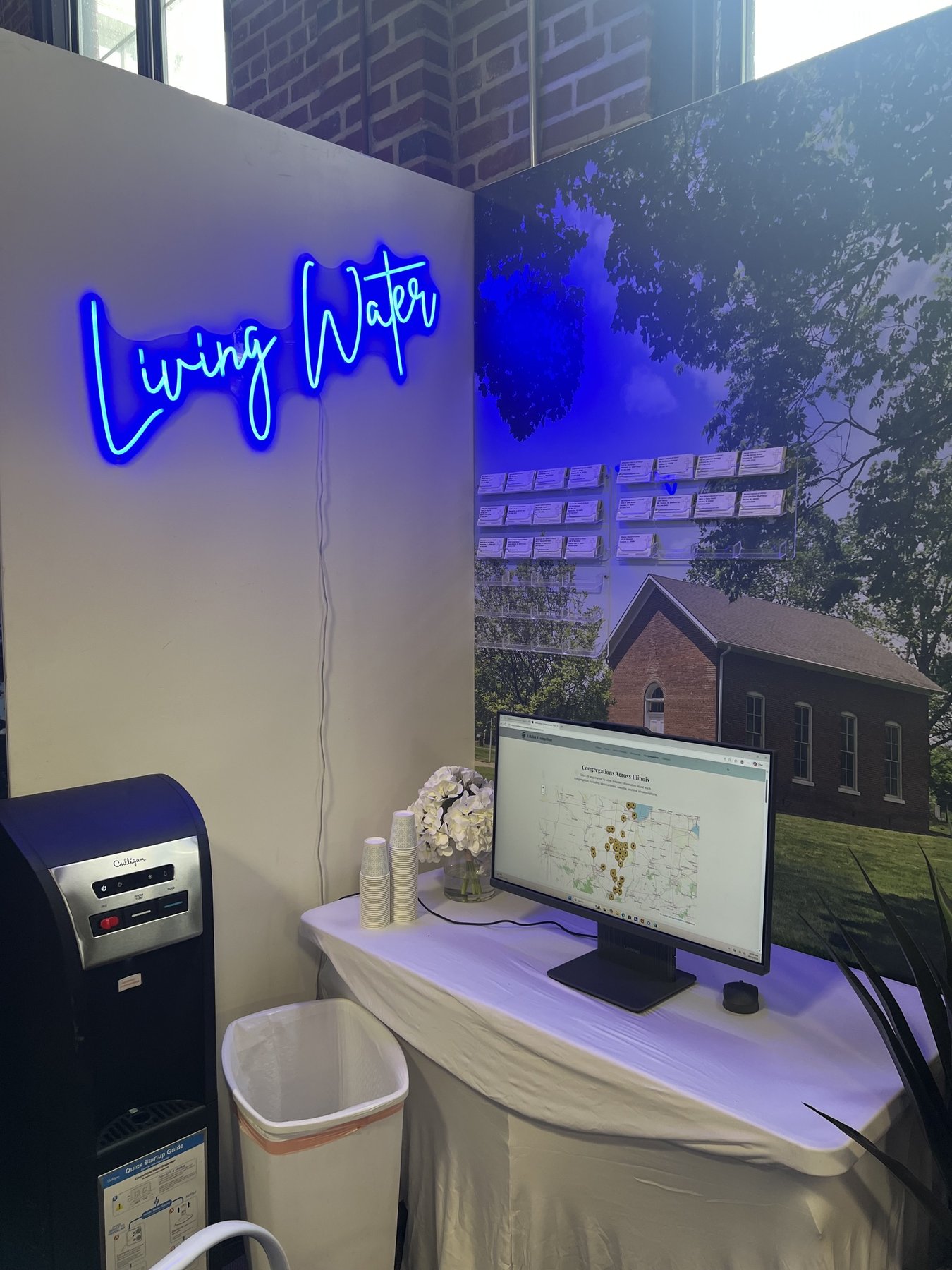
Companion Living Water station — congregations map beside the aisle
Results & impact
Bible Studies in a Bag (day-one pace)
Kiosk modes (operator + self-serve)
Phone download — no print wait
Facebook Page drain cron
“Thank you so much for the ideas and support you’ve provided for our exhibit work at the Illinois State Fair. The kiosk has opened opportunities to expand the Lord’s work into additional, nontraditional venues.
Its ease of use and operational simplicity have been accepted by our volunteers with very little resistance. Visitors to our exhibit have also responded extremely well—many are surprisingly familiar with the process, and it eliminates the frequent frustration of a long printing process while still allowing us time to visit with them personally.
Even before our usual Thursday setup was complete, people had already started coming through. By the end of the day, we expect to have distributed nearly 200 ‘Bible Studies in a Bag.’ The kiosk has allowed us to keep up with the flow and has been very well received by everyone visiting our exhibit.
Thank you doesn’t seem sufficient!”
Why it matters
Fair week is loud and short. The booth keeps the keepsake path on the kiosk so volunteers can stay in the aisle — guests leave with a download, the gallery stays current, and outreach materials keep moving without a print bottleneck.
Technologies used
Kiosk & frontend
- • Next.js App Router
- • Operator + self-serve UIs
- • Staff PIN / Guided Access flow
- • Guest share + OG images
Storage & data
- • Cloudflare R2 (framed assets)
- • Turso capture + queue rows
- • Day-grouped gallery feed
- • Vercel cron + admin drain
Social & ops
- • Facebook Page Graph upload
- • Rotating post captions
- • Pending / failed / skipped queue
- • Photo booth admin desk
Need a booth that runs itself?
Kiosk capture, QR download, gallery, and social posting — built for the week you cannot babysit every upload.
Start your project